
 by mid apps
Asusual is a habit tracker for Android, made by mid apps. Check off habits with a swipe, log part of a day when you only got halfway, and write a line about how it went. It works offline and doesn't need an account. Asusual was called Weft, and Sprout before that, until November 2026.
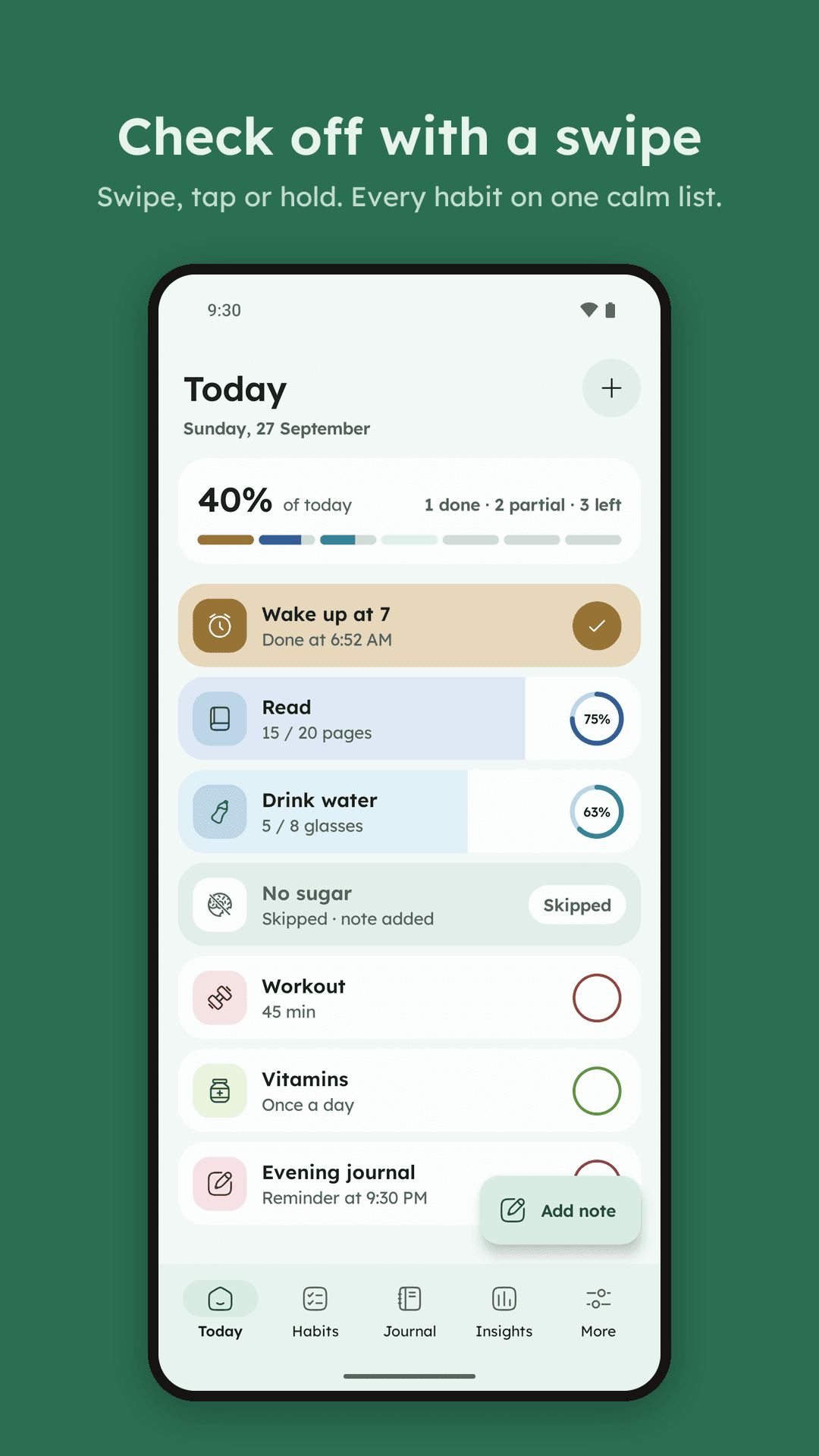
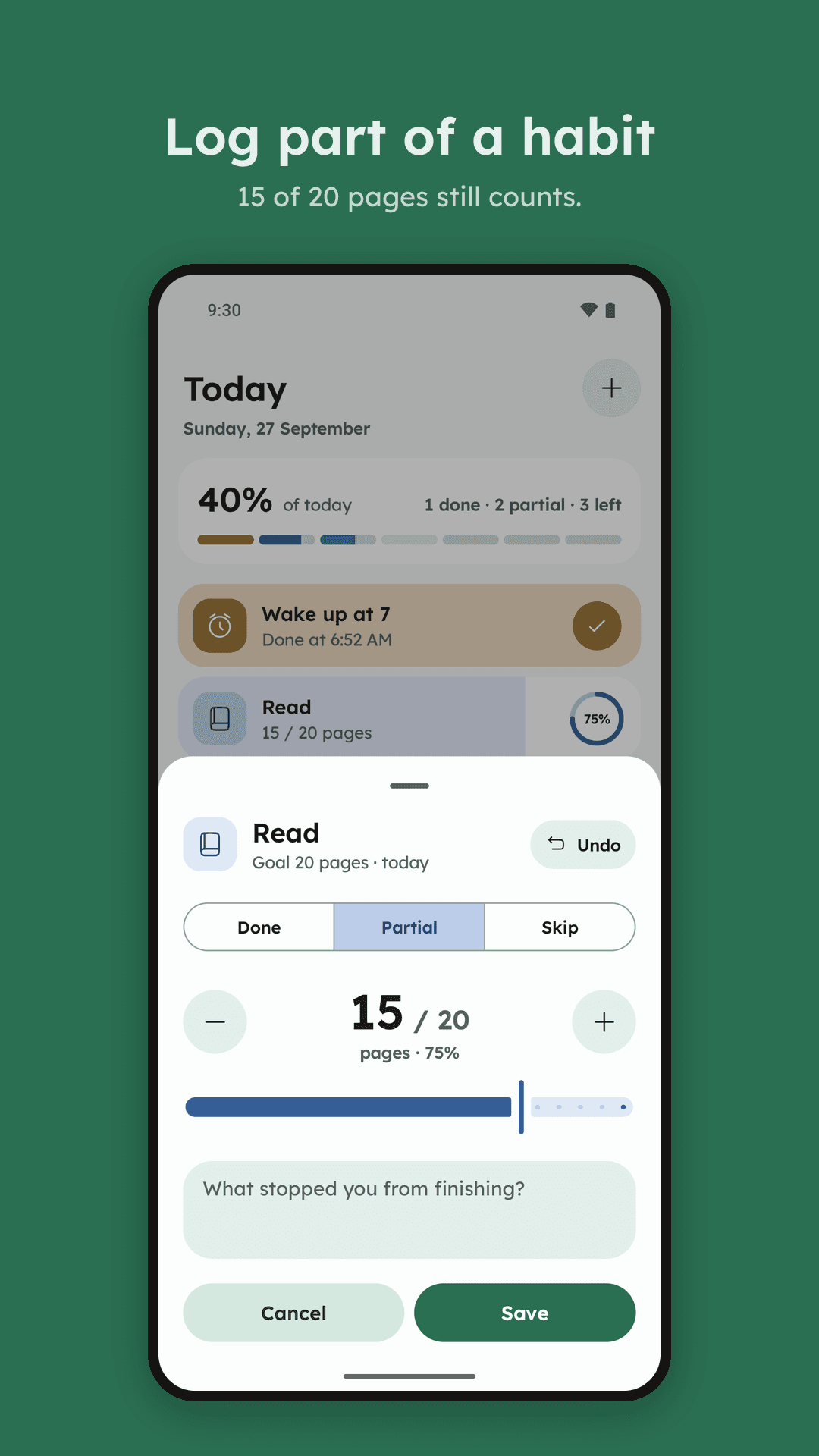
- Half a day still countsRead 15 of 20 pages? Log 15. Days you mark Skip are left out of your score, so one bad day doesn't sink the week.
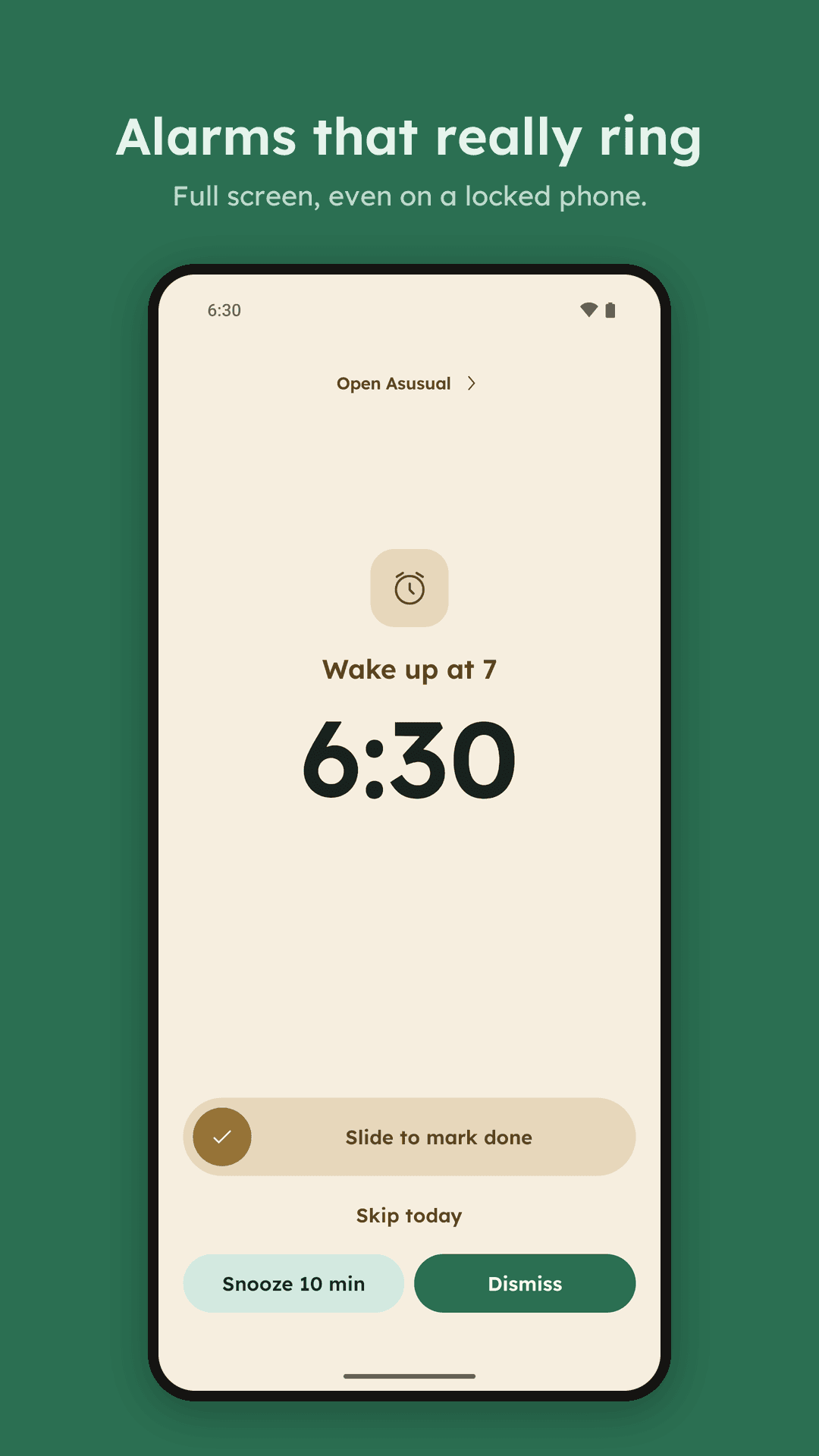
- Alarms you answerA reminder can ring full screen, even on the lock screen, until you slide it done, log an amount or skip.
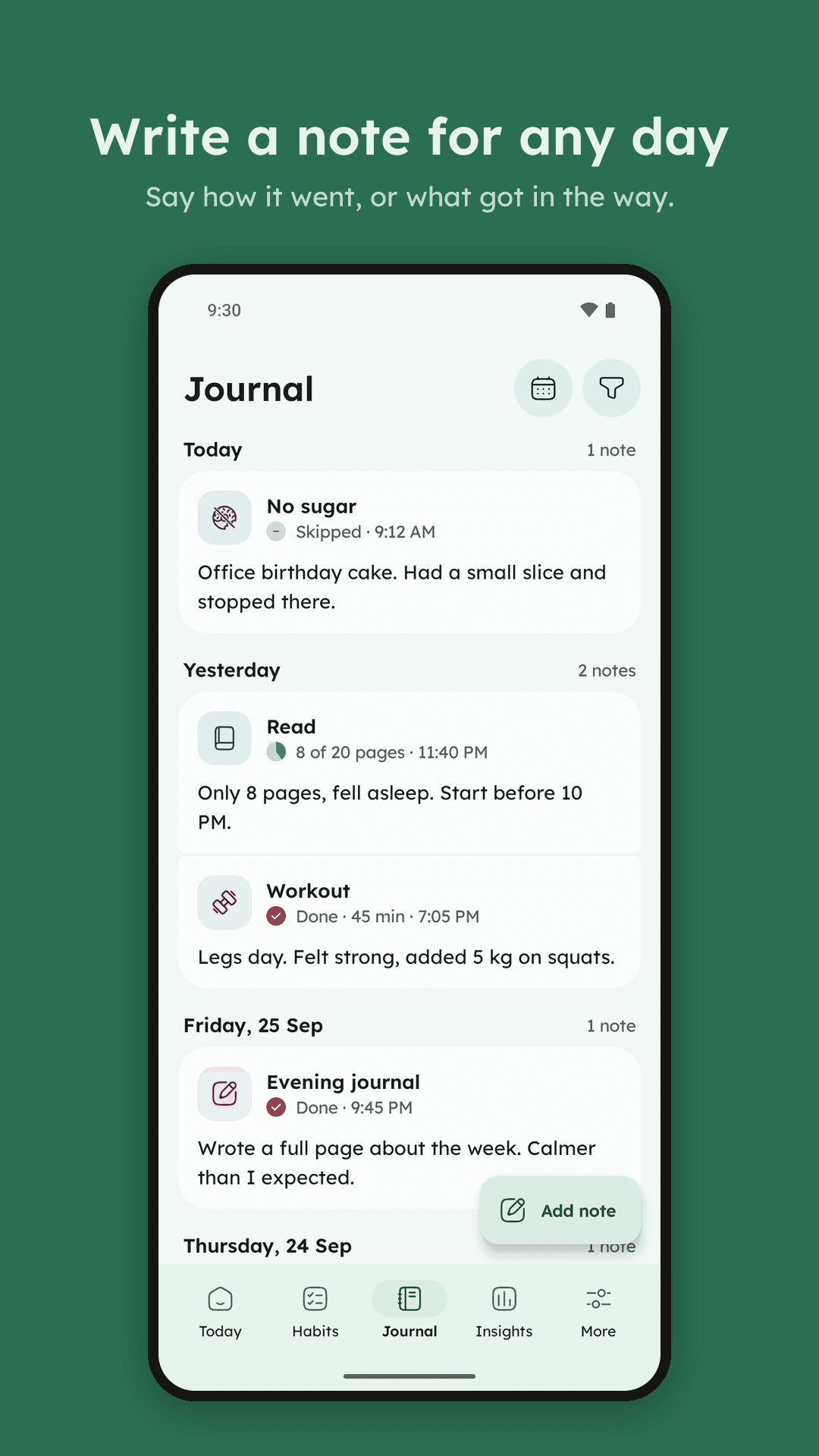
- A journal tied to your habitsEvery note belongs to a habit and a day. Writing suggestions come from your own notes, worked out on the phone.
- Nothing to sign up forNo account, no ads, no analytics. The F‑Droid version has no internet permission at all.
What's new in 1.6
- Music pauses while an alarm rings and plays again after, instead of stuttering.
- An alarm fills the screen when the phone is locked or off, and shows only a banner while you're using it, never both.
- Alarms ring full screen, even on a locked phone; snooze up to 3 times.
- Reminders & alarms: clear switches that open the right settings on every phone.
- Journal notes open with the habit, its outcome and time, then your note.
- Archive, delete and clear ask first, then offer Undo.
- Alarm sound: Weft's own tone, a softer one, or any sound on your phone.
- Filter by habit with chips; ten new habit icons; Rust default accent.
- Fixed: home-screen widgets showed only the Weft logo; they draw again.
- Fixed: alarms now ring with sound on every phone.
- Alarms at the same time are one card ("1 of 2 · Next: Workout") with Done, Snooze 10 min and Dismiss.
- Clearer Edit and Archive icons on a habit's page.
- New: alarm reminders that ring full screen. Slide to mark done, log an amount, skip, snooze or dismiss.
- New: Done, +step and Dismiss buttons on reminders, with Undo in the app.
- Every prompt is now a sheet, with one clear pair of buttons.
- Sheets no longer close by accident while you scroll.
- A new logo, new icons and clearer Insights patterns.
- Fixed: the progress widget fits small screens; "All logged" when you skipped something.
Everything it does
Checking off habits
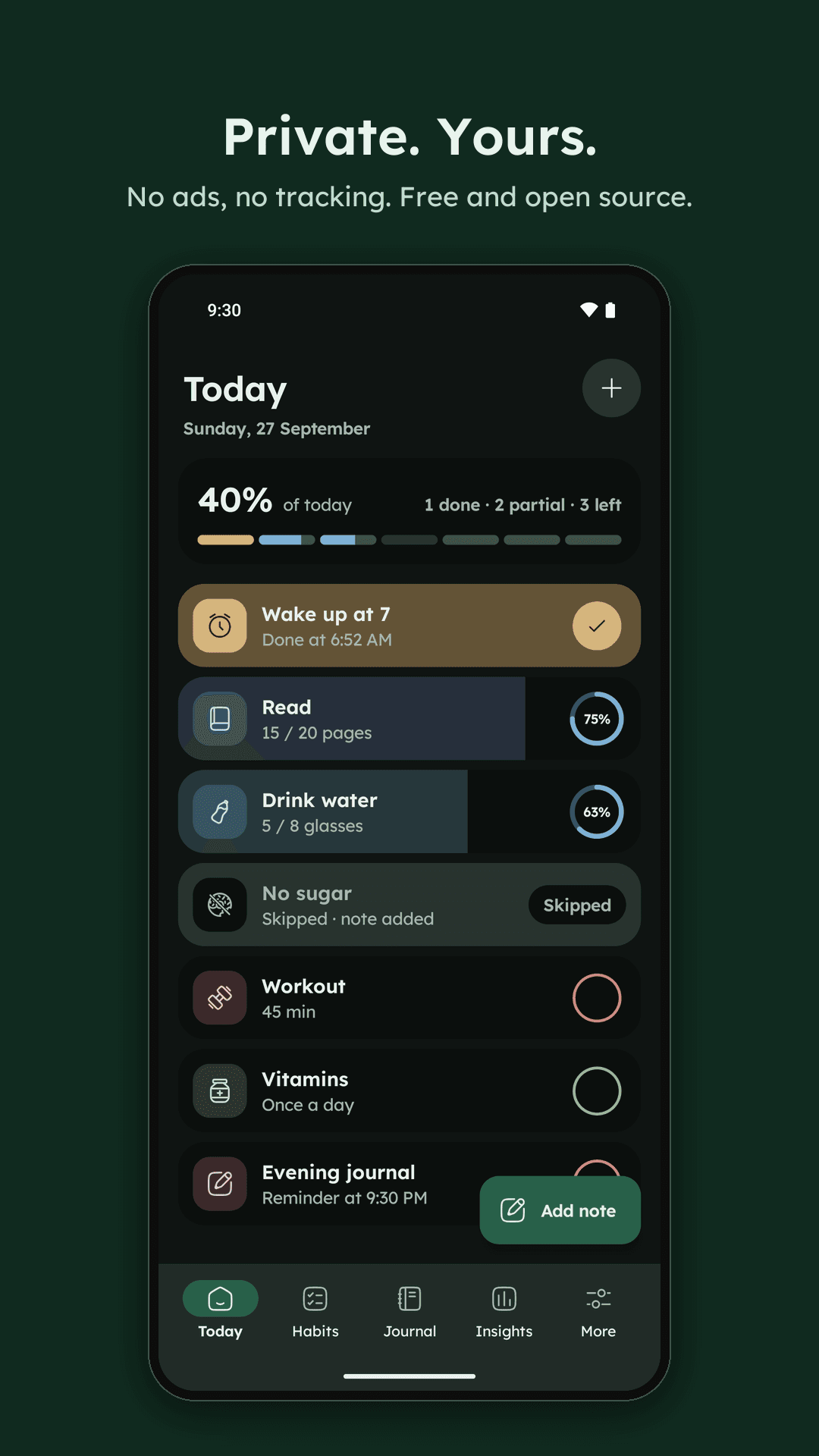
- Each day, a habit is Done, Partial or Skipped. Swipe right for Done, left to skip, or tap the circle.
- Press and hold to log an amount, like 15 of 20 pages or 30 of 45 minutes, and add a note in the same sheet.
- Every change can be undone, and swiping the other way clears a swipe.
- A habit is a simple check-off, or measured in any unit: pages, steps, minutes, hours. You set how far each step moves.
- Pick the days a habit is due, one of 29 icons and a colour. Reorder, archive or delete habits in Manage habits.
- The first time you open Asusual, you try every gesture on a practice card and start from five suggested habits or your own.
Seeing your progress
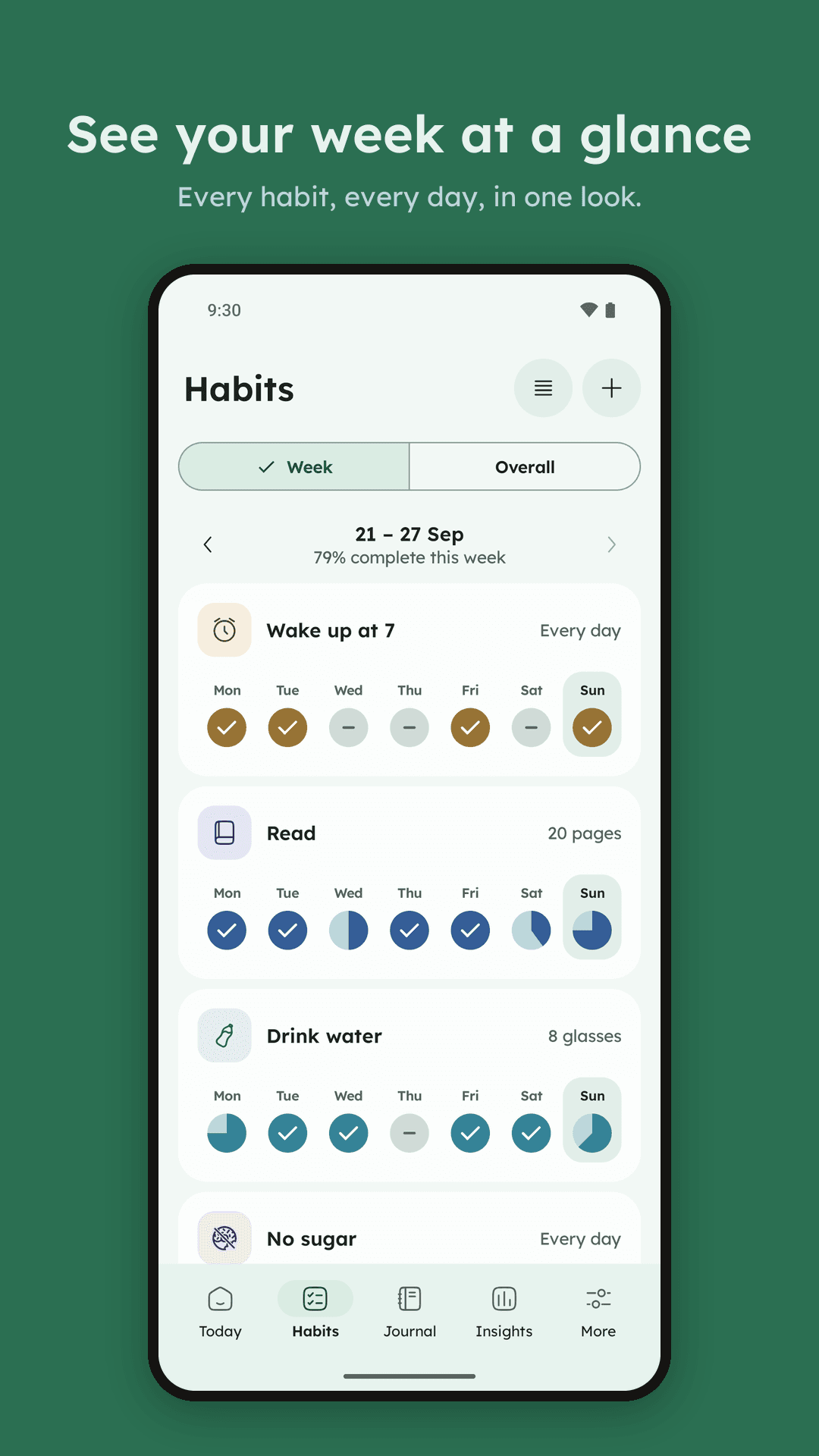
- The Habits tab shows this week for every habit, or the last 26 weeks as a heatmap with current and best streaks.
- Each habit has its own page: days done this month, best streak, its notes, and a month calendar where you can fix any past day.
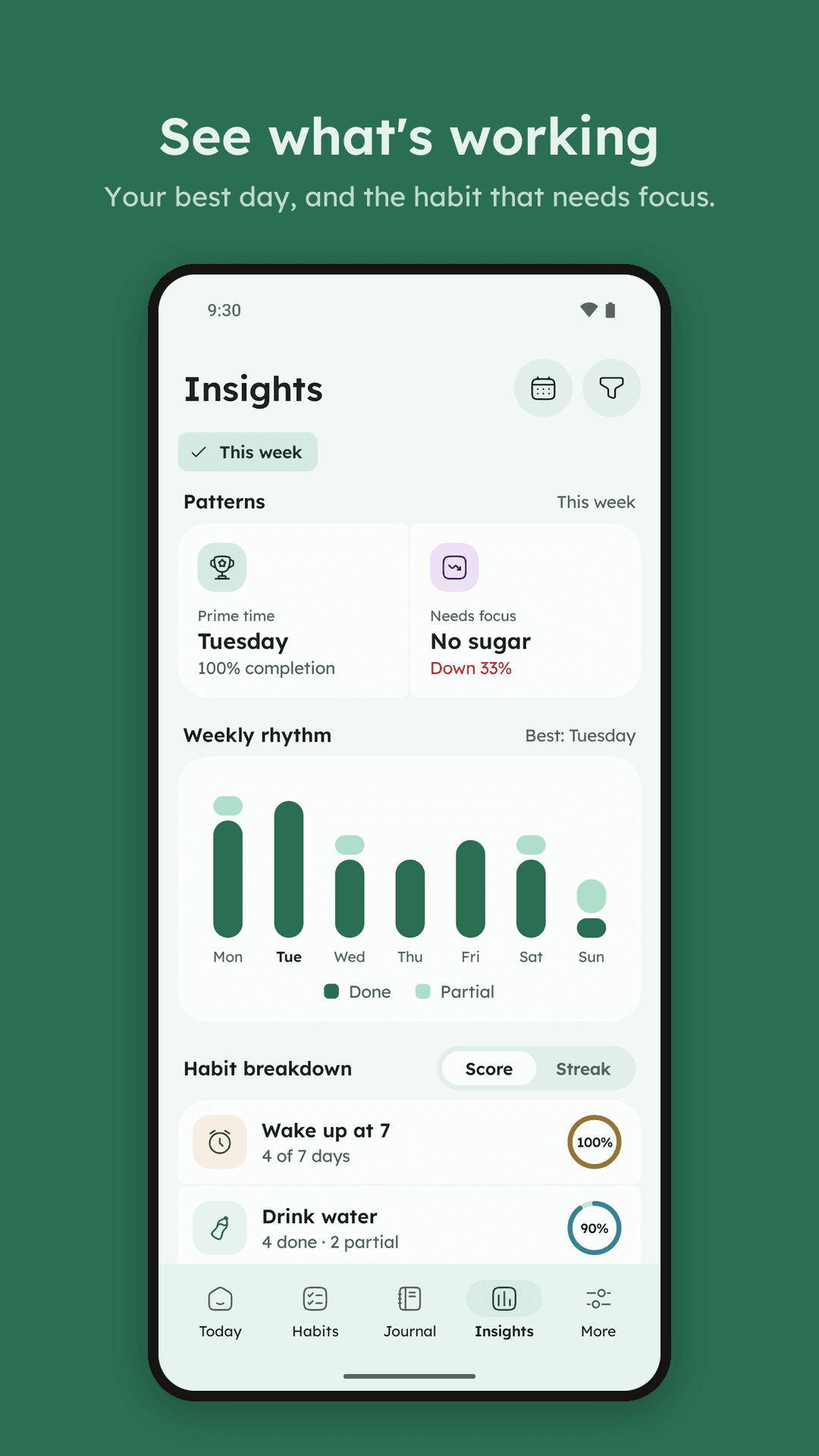
- Insights covers any dates, for all habits or the ones you pick: your average score, done and partial counts, a bar for each weekday, and every habit ranked by score or by streak.
- A Patterns card names your best weekday and the habit that slipped most.
Journal
- A note belongs to a habit and a day. The Journal lists them newest first, filtered by habit or dates.
- While you write, Asusual suggests a way to start that fits the day, the rest of a sentence you've written before, and similar notes. It works from a fixed list of phrases and your own notes, on the phone. You can turn it off or clear what it learned.
- A habit can ask for a note when you skip it, and at 9 PM Asusual reminds you about any you haven't written.
- Press and hold a note to edit, share or delete it.
Reminders
- One reminder per habit on its days, as a quiet notification or a full-screen alarm.
- The alarm uses your alarm sound and vibration, and the power or a volume button silences it. Left alone, it stops after 10 minutes and leaves a "missed" notification.
- A habit you've already done or skipped doesn't ring, and logging it anywhere stops its alarm.
On your home screen
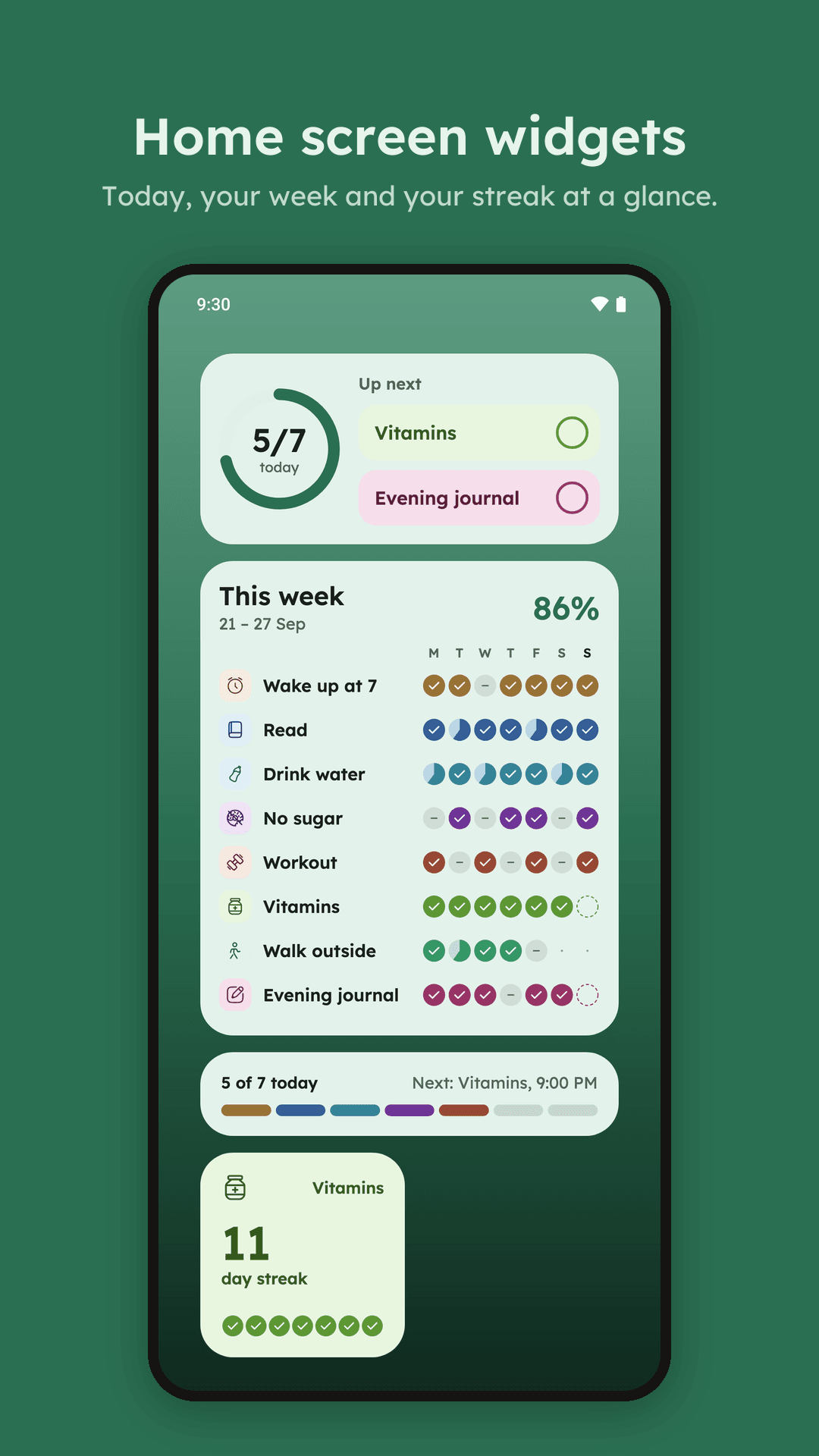
- Four widgets: Today (a progress ring, with circles to mark habits done), This week, a slim Today strip and Streak. They follow your wallpaper colours and dark mode.
- Press and hold the app icon for Add note and New habit.
Backup
- Export everything, settings included, to a JSON file and import it again, or export a CSV for a spreadsheet.
- Back up to your own Google Drive by hand, or every night while charging, weekly or monthly, on Wi-Fi only if you like. Restore any of the last 10 backups.
Make it yours
- Light or dark, colours from your wallpaper or one of seven accent colours.
- Five fonts, including Atkinson Hyperlegible for easy reading, and a text size.
- English, Hindi, Spanish, German, French, Portuguese (Brazil) and Japanese, set apart from your phone's language.
- The first day of the week and a default reminder time.
Your data
Asusual has no account, no ads, no analytics and no server. Your habits, check-ins and notes are stored only on your phone.
Google Drive backup is optional and off until you tap Connect Google Drive (Google Play and GitHub versions). Asusual then asks Google for two things:
- Its own hidden folder in your Google Drive (
drive.appdata), to keep your last 10 backups there. Asusual can't see any other file in your Drive. - Your email address, to show which account the backups go to.
Backups go straight from your phone to your own Drive; mid apps never receives them. You can disconnect, or delete the backups, at any time from Asusual's Backup & restore screen. The details are in the privacy policy.
Free and open source
Asusual is free under the GNU GPL v3. The code, issues and releases are on GitHub. Besides Google Play, the releases page has an APK that updates itself, and a version with no Google code and no network access for F-Droid and Obtainium. It runs on Android 8.0 and later.
Contact
Questions, ideas or bugs: write to hello.midapps@gmail.com, or open an issue.